Administration - Translation
Path / Administration areaTranslation This documentation applies to version 2.X of the plugin.You can have multiple languages enabled. Each language needs to be manually translated. To translate a language you must enable it first.
If you want to change the phrasing or the messages that appear in your Pinpoint Booking System Plugin you can change the text as you would translate it.
Set translation
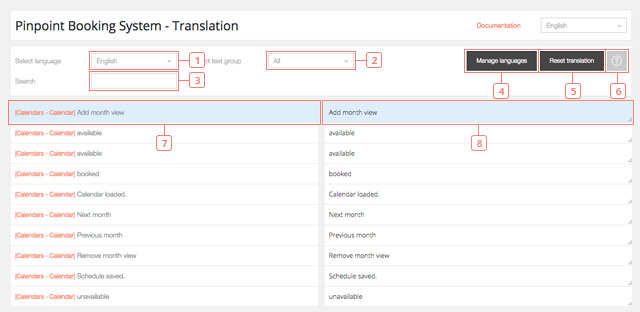
Field 1Select the language for the Translation.Field 2Select the text group to translate.Field 3Search a specific text to translate.Button 4Click to Manage languages.Button 5Click to Reset the Translation.Button 6Click to go to the documentation.Item 7The plugin text area.Field 8The area where the translation can be changed.
Set language
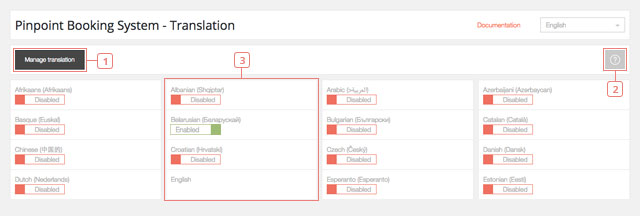
Button 1Click to go back to the Translation section.Button 2Click to go to the documentation.Button 3English is Enabled as default. Click to Enable the wanted language.